




Whether you are already familiar with using 3D slicers or not, supports remain one of the most critical aspects for successfully printing complex models.
The role of a support is simple: to hold up areas that have no material underneath, such as steep overhangs, long bridges, or sections printed in mid-air. Without suitable support, these areas can collapse, deform, or cause visible defects on the part.
Orca Slicer offers several methods to generate and control these supports, from classic structures to more advanced tree-shaped models. Understanding each parameter helps avoid unpleasant surprises.
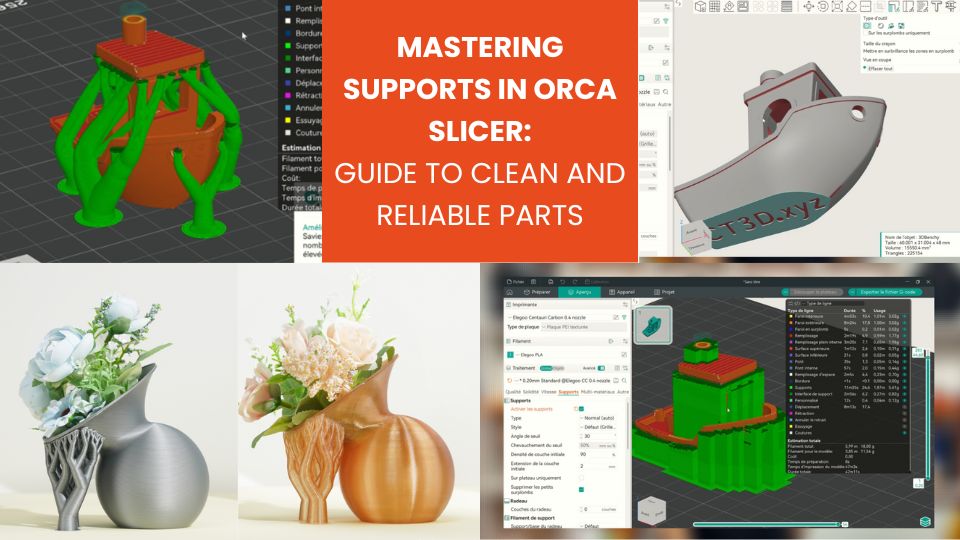
Importance of supports in 3D printing
In FDM manufacturing, molten material is deposited layer by layer. Each new layer requires a stable underlying surface to be placed correctly.
If the surface is too steeply angled or completely unsupported (such as a drone wing or a tunnel), the material has no point of adhesion. This is known as an overhang. Beyond a certain angle (often around 45°), gravity and material behavior cause the print to fail. Support structures provide a temporary platform for these delicate areas.
Available support types
1. Classic supports (Normal)
These supports appear as solid grid structures beneath areas that require assistance.
- Very stable and reliable
- Higher material consumption
- Can leave difficult-to-remove marks at contact points
They are particularly suitable for functional parts or models where the underside is not visible. Automatic generation is based on the defined overhang angle (often 45°).
2. Tree supports
Tree supports are one of the distinctive features of Orca Slicer. Instead of filling the entire area beneath an overhang, they grow like branches and only touch critical zones.
- Reduced material usage
- Fewer contact points for better surface finish
- Ideal for organic surfaces and complex overhangs
They start from a solid trunk on the build plate and branch out toward the upper areas of the model, without unnecessarily filling the space.
3. Support generation modes
| Mode | Function |
|---|---|
| Auto | Automatically generates supports based on model geometry |
| Manual | Allows precise control over where supports are placed |
| Support Critical Regions Only | Generates supports only where they are strictly necessary |
These options offer precise control: manual mode or “Critical Regions” limits supports to truly necessary areas.
Support styles
- Grid: stable and regular, ideal for classic supports but sometimes difficult to remove
- Snug: less dense, reduces footprint and makes removal easier
- Organic: suited for tree supports and complex models
- Tree Slim: thin, material-saving branches; stability may be limited for large structures
- Tree Strong: robust branches for heavy or wide overhangs
- Tree Hybrid: combination of tree and classic supports for flat and organic areas
Key parameters for optimal supports
1. Overhang Threshold Angle
The Overhang Threshold Angle defines the angle at which the software considers a support to be necessary. It is a core parameter that determines the quantity and placement of generated supports.
An angle that is too low creates many supports even for slight inclines, increasing reliability but also material usage and post-processing time. Conversely, an angle that is too high reduces supports but may cause some overhangs to sag, leading to imperfections or stringing.
For most materials such as PLA or PETG, an angle around 45° is an effective compromise. For more sensitive materials or complex models, slightly reducing this angle can prevent deformation. This setting should always take into account the model geometry and the filament used.
2. Z Distance (Gap between support and model)
Z Distance refers to the vertical gap left between the support and the surface of the part. This parameter directly affects removal ease and surface quality.
A gap that is too small makes supports difficult to remove and can damage the part during removal. A gap that is too large reduces stability in overhanging areas, which may sag or create defects.
In practice, a value between 0.15 and 0.25 mm works for most standard materials. Tree and classic supports may require slightly different settings due to their shape and contact points. Proper Z Distance management optimizes both print reliability and post-processing.
3. Interface layers & pattern angle
Interface layers are the layers placed on top of the support, directly beneath the part. They create a smoother surface and make removal easier after printing.
The pattern angle defines the orientation of these interface lines relative to the support. Adjusting this angle reduces adhesion between the support and the part, simplifying removal and minimizing marks.
Using 1 to 3 interface layers is recommended to balance strength and ease of removal. Slightly rotating the pattern angle can improve surface finish, especially on models with fine details or complex overhangs.
Advanced strategies
- Make Overhangs Printable: slightly adjusts geometry to make certain areas printable without supports
- Tree Hybrid: combines tree and classic supports for large flat surfaces and organic areas
- Manual or Critical Regions mode: precise control to limit supports to essential zones
- Pattern Angle: adjust interface line orientation to simplify removal
Post-processing
After printing, proper support removal is crucial:
- – Allow the part to cool slightly to avoid plastic elasticity.
- – Use appropriate tools such as pliers, knives, or flush cutters.
- – Sanding or light heat can help remove remaining marks.
Conclusion
Supports in Orca Slicer form a comprehensive and highly customizable system. The choice of type, style, overhang angle, Z gap, and final density directly impacts quality, print time, and material consumption. Gradual mastery of these parameters leads to cleaner, more reliable prints with minimal post-processing.
✅ Why Choose Polyfab3D?
Premium Support and After-Sales Service: Starting from your needs, we will guide you to the most suitable solution and provide long-term support for its implementation and daily use.
Official Reseller: Polyfab3D is a certified reseller of top brands, ensuring you get official products, exclusive access to the latest innovations, and priority technical support.
Fast Delivery and Customer Satisfaction: Polyfab3D is committed to providing you with an optimal and fast experience. Positive feedback from our customers rewards us and proves the reliability and efficiency of our service.
Contact us now for a personalized recommendation tailored to your needs, budget, and ambitions.