







For anyone looking to achieve a precise and consistent material flow, the concept of Pressure Advance has become essential. Behind this technical term lies a key feature that helps correct irregularities caused by changes in the printhead’s movement speed.
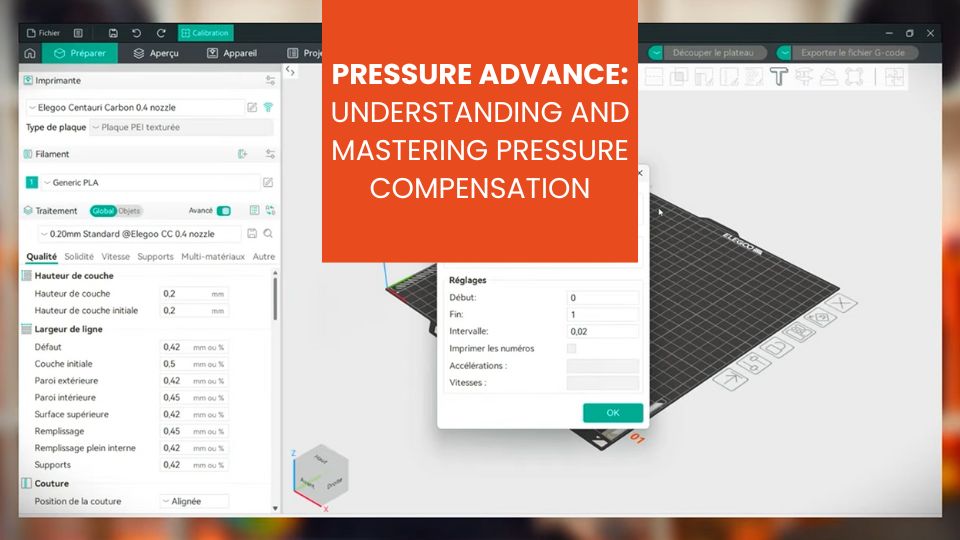
In this article, we will take a detailed look at how Pressure Advance works in Orca Slicer, the different calibration methods available, and tips to help you optimize it.
What Is Pressure Advance?
Pressure Advance is a feature that anticipates how the material reacts to the extrusion head’s accelerations and decelerations. Without compensation, corners and rapid transitions may show over-extrusion or under-extrusion, which directly impacts the final print quality.
In practice, Pressure Advance allows you to adjust the pressure inside the nozzle so the flow remains consistent, even during abrupt speed changes. It acts as a predictive adjustment of material push to avoid inconsistencies and achieve a smooth and even extrusion.
Pressure Advance: A Complex Setting?
Modern slicing software provides a very intuitive approach to Pressure Advance. While some slicers make calibration complex and difficult to access, others offer precise control and progressive calibration. This approach is suitable for both beginners and advanced users.
Orca Slicer includes visualization tools that let you see how the flow reacts to speed changes, making adjustment much simpler and more accurate than in other tools.
The Different Pressure Advance Methods
There are several ways to calibrate Pressure Advance, each with its own advantages depending on the type of model and level of precision required. The three main methods are:
- The PA Tower (Tower method)
- The PA Pattern (Pattern method)
- The PA Line (Line method)
These methods differ by the type of calibration model used and the way pressure adjustments are analyzed, allowing you to choose the one that best fits your needs.
Pressure Advance Tower
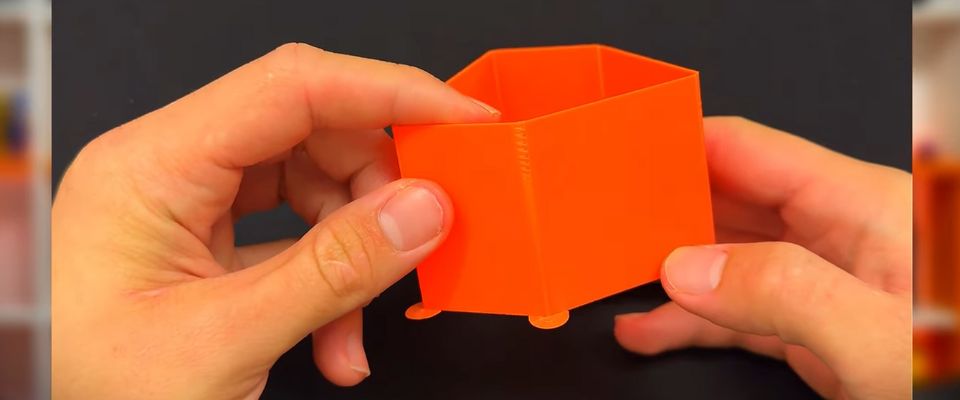
The Tower method (PA Tower) consists of printing a vertical object—a tower—where the Pressure Advance value increases gradually with height. At each millimeter of elevation, the PA is changed according to a predefined step.
Why use it: this method is useful as it does not rely heavily on first-layer quality and simulates real printing conditions, especially at high speed.
How to interpret it: once the tower is printed, examine the corners and edges at different heights to determine where transitions look the cleanest and where material excess or gaps are minimized. The optimal PA corresponds to the value used at that height.
Advantages / limitations:
- ✅ Less sensitive to first-layer issues.
- ✅ Represents real printing dynamics well.
- ⚠️ Requires more time and material than a simple line test.
Pressure Advance Pattern
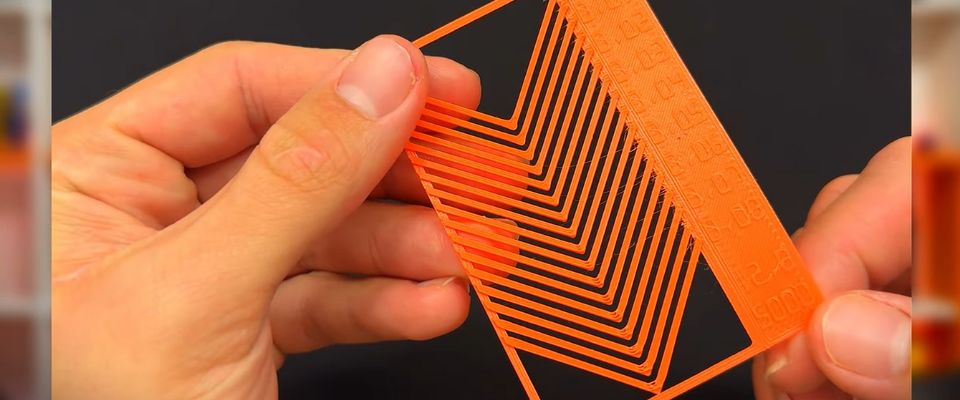
The Pattern method uses a small prism or geometric shape divided into sections, each printed with a different PA value.
Why use it: the pattern method is a good compromise between speed and accuracy. It reproduces transitions, corners, and accelerations similar to those in real models—perfect for tuning PA for complex prints.
How to interpret it: after printing, examine the pattern—particularly corners, intersections, and angles—to identify the section with the most uniform extrusion. The corresponding PA value is then applied.
Advantages / limitations:
- ✅ Tests conditions close to real printing with frequent direction changes.
- ✅ Faster and uses less material than a tower.
- ⚠️ Accuracy partly depends on first-layer quality.
Pressure Advance Line
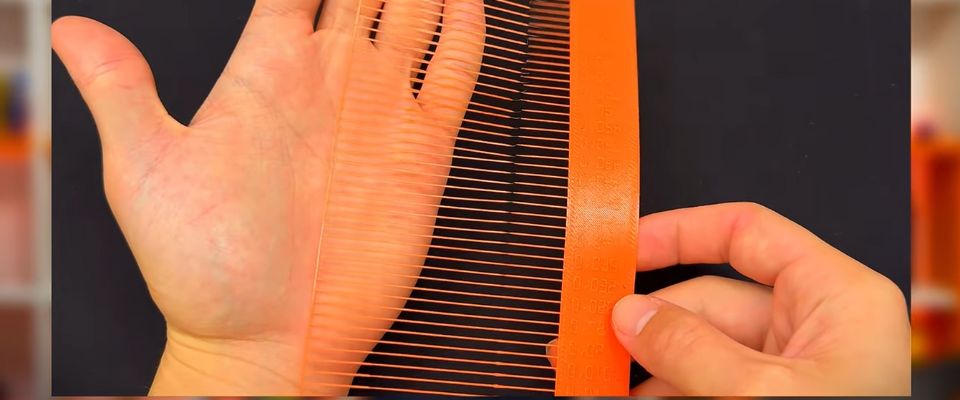
The Line method (PA Line) involves printing several straight lines, each with a different PA value, to determine which one produces the most consistent flow—with no bubbles, gaps, bulges, or under-extrusion.
Why use it: it’s a great starting point for a first approximation of PA. It requires very little material and prints quickly.
How to interpret it: after printing, compare the lines—the one with the most regular and stable extrusion usually corresponds to the best PA value, which can then be used for real prints.
Advantages / limitations:
- ⚠️ Less representative of real printing conditions compared to the pattern or tower.
- ✅ Very fast and low material consumption.
- ⚠️ Highly dependent on first-layer quality.
Tips for Mastering Pressure Advance
- Test different printing speeds: the ideal PA value may vary with speed. Some users create separate profiles for slow and fast prints.
- Consider the material: the material’s properties affect flow dynamics. A flexible filament or very fluid filament may require a different value compared to a rigid one.
- Monitor temperature: too high or too low temperatures can affect pressure inside the nozzle and reduce the efficiency of Pressure Advance.
- Combine with linear advance: although similar, both technologies complement each other. Orca Slicer lets you fine-tune this interaction to maximize flow consistency.
- Analyze with a visual model: some calibration models include speed-gradient areas, perfect for checking flow consistency across different speed ranges.
Common Mistakes and How to Avoid Them
- PA value too high: causes dips in corners and irregular flow.
- PA value too low: leads to bulging in corners and visible over-extrusion.
- Ignoring print speed: a PA tuned for slow printing may not work for fast prints.
- Ignoring material type: not adjusting PA based on the filament used can negate all benefits.
The best approach is always to run progressive tests, changing only one parameter at a time to clearly understand the impact of each adjustment.
Conclusion
Pressure Advance is not a simple setting but a technical tool that can significantly improve print quality. With careful calibration and a solid understanding of how it works, you can achieve consistent flow, clean corners, and smooth surfaces.
Mastering this feature lets you move from simply acceptable results to reliable, precise prints—even for complex models. It’s an accessible and powerful tool for users aiming for maximum accuracy.
✅ Why Choose Polyfab3D?
Premium Support and After-Sales Service: Starting from your needs, we will guide you to the most suitable solution and provide long-term support for its implementation and daily use.
Official Reseller: Polyfab3D is a certified reseller of top brands, ensuring you get official products, exclusive access to the latest innovations, and priority technical support.
Fast Delivery and Customer Satisfaction: Polyfab3D is committed to providing you with an optimal and fast experience. Positive feedback from our customers rewards us and proves the reliability and efficiency of our service.
Contact us now for a personalized recommendation tailored to your needs, budget, and ambitions.