






Aucun avis ne correspond à votre recherche.
Aucune question publiée pour ce produit.
Vous ne trouvez pas la réponse à votre question ?
Aucun avis ne correspond à votre recherche.
Aucune question publiée pour ce produit.
Vous ne trouvez pas la réponse à votre question ?
Aucun avis ne correspond à votre recherche.
Aucune question publiée pour ce produit.
Vous ne trouvez pas la réponse à votre question ?
Aucun avis ne correspond à votre recherche.
Aucune question publiée pour ce produit.
Vous ne trouvez pas la réponse à votre question ?
Aucun avis ne correspond à votre recherche.
Aucune question publiée pour ce produit.
Vous ne trouvez pas la réponse à votre question ?
Aucun avis ne correspond à votre recherche.
Aucune question publiée pour ce produit.
Vous ne trouvez pas la réponse à votre question ?
Aucun avis ne correspond à votre recherche.
Aucune question publiée pour ce produit.
Vous ne trouvez pas la réponse à votre question ?
Aucun avis ne correspond à votre recherche.
Aucune question publiée pour ce produit.
Vous ne trouvez pas la réponse à votre question ?
Aucun avis ne correspond à votre recherche.
Aucune question publiée pour ce produit.
Vous ne trouvez pas la réponse à votre question ?
Aucun avis ne correspond à votre recherche.
Aucune question publiée pour ce produit.
Vous ne trouvez pas la réponse à votre question ?
Aucun avis ne correspond à votre recherche.
Aucune question publiée pour ce produit.
Vous ne trouvez pas la réponse à votre question ?
Aucun avis ne correspond à votre recherche.
Aucune question publiée pour ce produit.
Vous ne trouvez pas la réponse à votre question ?
Aucun avis ne correspond à votre recherche.
Aucune question publiée pour ce produit.
Vous ne trouvez pas la réponse à votre question ?
Aucun avis ne correspond à votre recherche.
Aucune question publiée pour ce produit.
Vous ne trouvez pas la réponse à votre question ?
Aucun avis ne correspond à votre recherche.
Aucune question publiée pour ce produit.
Vous ne trouvez pas la réponse à votre question ?

Aucun avis ne correspond à votre recherche.
Aucune question publiée pour ce produit.
Vous ne trouvez pas la réponse à votre question ?
Aucun avis ne correspond à votre recherche.
Aucune question publiée pour ce produit.
Vous ne trouvez pas la réponse à votre question ?
Aucun avis ne correspond à votre recherche.
Aucune question publiée pour ce produit.
Vous ne trouvez pas la réponse à votre question ?
Aucun avis ne correspond à votre recherche.
Aucune question publiée pour ce produit.
Vous ne trouvez pas la réponse à votre question ?
Aucun avis ne correspond à votre recherche.
Aucune question publiée pour ce produit.
Vous ne trouvez pas la réponse à votre question ?
Aucun avis ne correspond à votre recherche.
Aucune question publiée pour ce produit.
Vous ne trouvez pas la réponse à votre question ?
Aucun avis ne correspond à votre recherche.
Aucune question publiée pour ce produit.
Vous ne trouvez pas la réponse à votre question ?
Aucun avis ne correspond à votre recherche.
Aucune question publiée pour ce produit.
Vous ne trouvez pas la réponse à votre question ?
Aucun avis ne correspond à votre recherche.
Aucune question publiée pour ce produit.
Vous ne trouvez pas la réponse à votre question ?
Aucun avis ne correspond à votre recherche.
Aucune question publiée pour ce produit.
Vous ne trouvez pas la réponse à votre question ?
Aucun avis ne correspond à votre recherche.
Aucune question publiée pour ce produit.
Vous ne trouvez pas la réponse à votre question ?
Aucun avis ne correspond à votre recherche.
Aucune question publiée pour ce produit.
Vous ne trouvez pas la réponse à votre question ?
Aucun avis ne correspond à votre recherche.
Aucune question publiée pour ce produit.
Vous ne trouvez pas la réponse à votre question ?
Aucun avis ne correspond à votre recherche.
Aucune question publiée pour ce produit.
Vous ne trouvez pas la réponse à votre question ?
Aucun avis ne correspond à votre recherche.
Aucune question publiée pour ce produit.
Vous ne trouvez pas la réponse à votre question ?
Aucun avis ne correspond à votre recherche.
Aucune question publiée pour ce produit.
Vous ne trouvez pas la réponse à votre question ?
Aucun avis ne correspond à votre recherche.
Aucune question publiée pour ce produit.
Vous ne trouvez pas la réponse à votre question ?
Aucun avis ne correspond à votre recherche.
Aucune question publiée pour ce produit.
Vous ne trouvez pas la réponse à votre question ?
Aucun avis ne correspond à votre recherche.
Aucune question publiée pour ce produit.
Vous ne trouvez pas la réponse à votre question ?
Aucun avis ne correspond à votre recherche.
Aucune question publiée pour ce produit.
Vous ne trouvez pas la réponse à votre question ?
Aucun avis ne correspond à votre recherche.
Aucune question publiée pour ce produit.
Vous ne trouvez pas la réponse à votre question ?
Aucun avis ne correspond à votre recherche.
Aucune question publiée pour ce produit.
Vous ne trouvez pas la réponse à votre question ?
Aucun avis ne correspond à votre recherche.
Aucune question publiée pour ce produit.
Vous ne trouvez pas la réponse à votre question ?
Aucun avis ne correspond à votre recherche.
Aucune question publiée pour ce produit.
Vous ne trouvez pas la réponse à votre question ?
Aucun avis ne correspond à votre recherche.
Aucune question publiée pour ce produit.
Vous ne trouvez pas la réponse à votre question ?
Aucun avis ne correspond à votre recherche.
Aucune question publiée pour ce produit.
Vous ne trouvez pas la réponse à votre question ?
Aucun avis ne correspond à votre recherche.
Aucune question publiée pour ce produit.
Vous ne trouvez pas la réponse à votre question ?
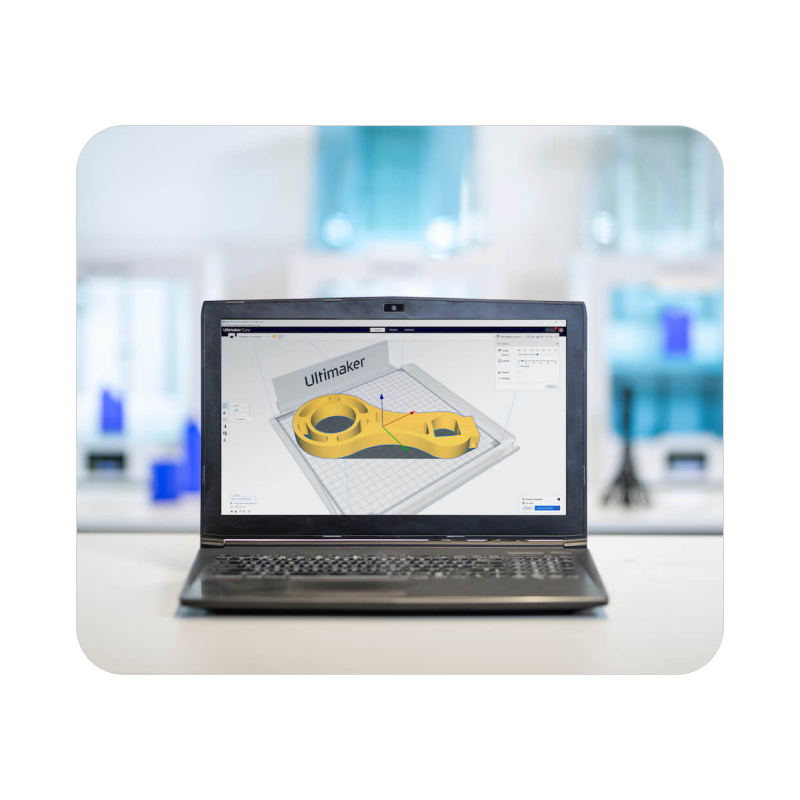
Cura, or more precisely Ultimaker Cura, is the leading slicer for FDM 3D printers.
This slicing software is responsible for generating the G-code program tailored to your printer and 3D model. As open-source software, it is compatible with most 3D printers available on the market.
 Our experts are at your service to answer your questions and provide advice at info@polyfab3d.com.
Delivery within 48/72 hours
Order before 1pm. Same day shipping
Free delivery
Free delivery near you from €69.90
Premium support
Our teams are on hand to answer all your questions
Over 3500 products
A wide choice of products from the biggest brands
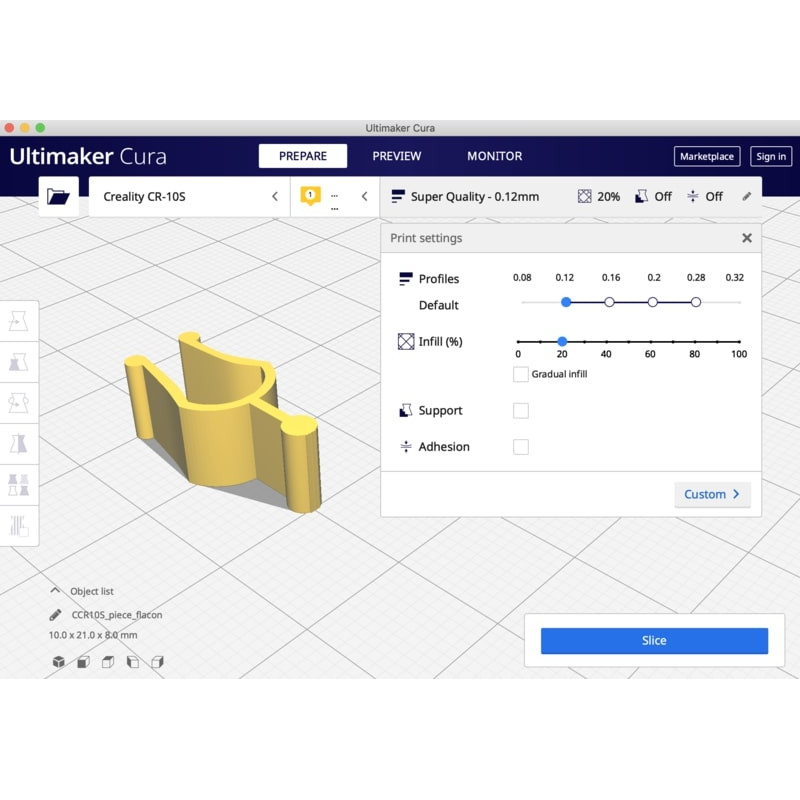
Cura, or more precisely Ultimaker Cura, is the leading slicer software for FDM 3D printers. This slicing software is responsible for generating the G-code program adapted to your printer and 3D model. It efficiently programs movements for the fabrication of each layer while managing different temperature settings.
Cura is the most widely used slicer in the world, thanks to its versatility and accessibility. By default, Cura includes Ultimaker printers (since Ultimaker develops Cura), but it also provides access to an extensive list of pre-configured third-party printers.
.gif)
Whether you own a Creality, Artillery, Anet, or Dagoma 3D printer, Cura is the recommended software by many manufacturers. Cura also allows you to easily create a custom printer configuration. Some major FDM 3D printer manufacturers even develop their own interfaces based on the open-source Cura version.
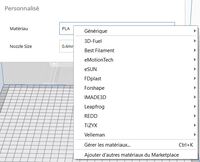
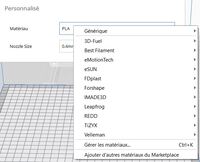
Each pre-configured printer includes a list of supported 3D filament brands. Typically, Cura offers a selection of different filament brands to accommodate various material types. For example, Creality provides various filament options, including a generic version compatible with all brands. These profiles allow for quick and efficient setting adjustments based on the type of filament used.
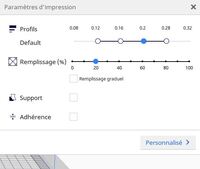
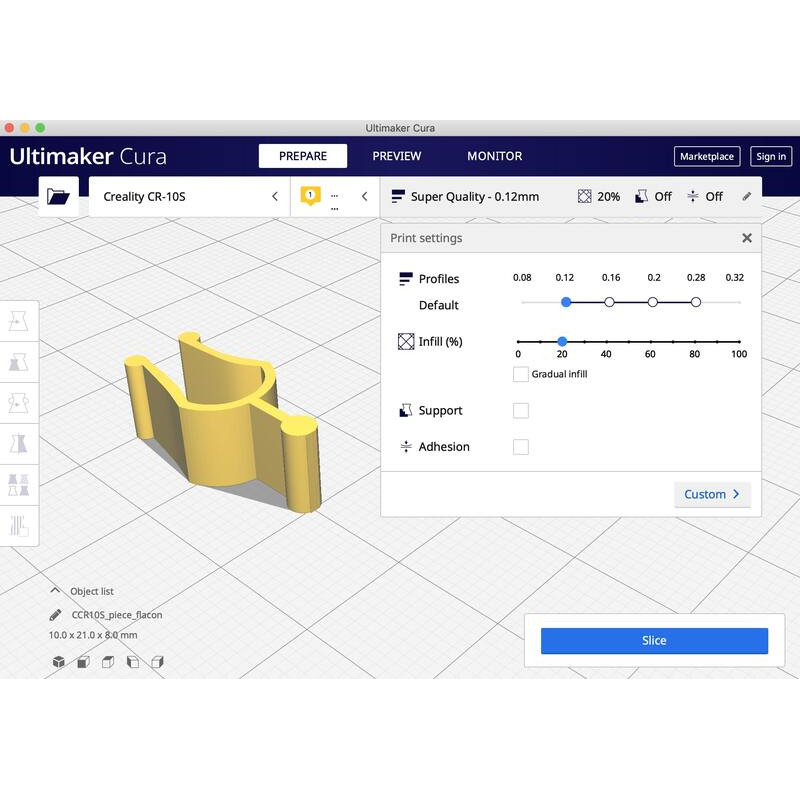
Depending on the selected filament profile, Cura suggests pre-configured print settings. Choosing between high-quality prints or faster print speeds is simple. The quality and range of print profiles vary depending on the initially selected material profile.
.gif)
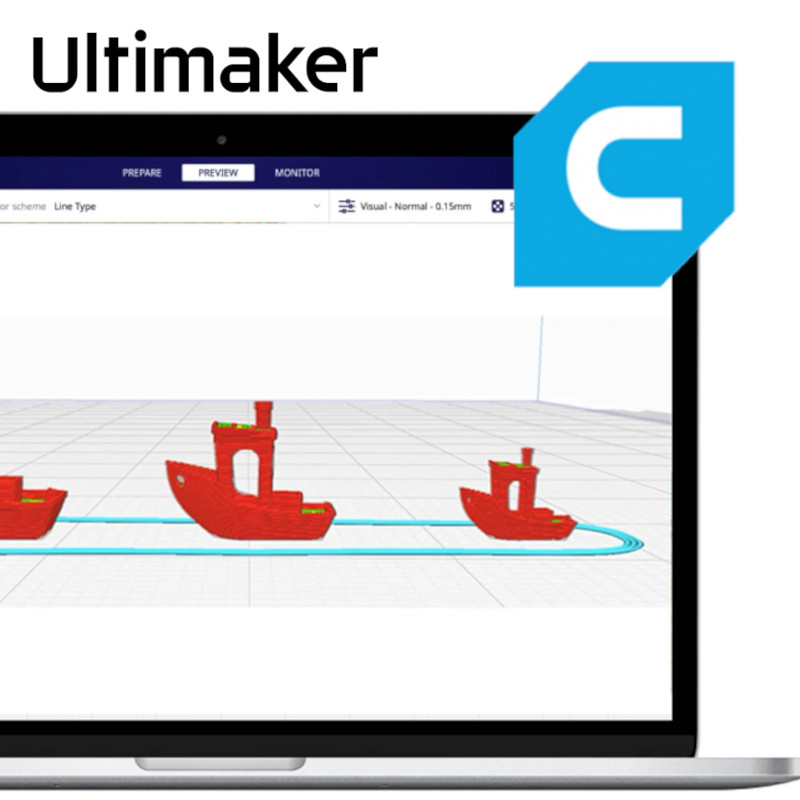
One of Cura's strengths is its effective visualization tools. In the "Preview" tab, after slicing the 3D model, users can access a full virtual simulation of print movements. Different modes allow users to distinguish extruders, speeds, or support structures, for example. As soon as slicing is completed, Cura provides an estimated print time and the amount of filament required.
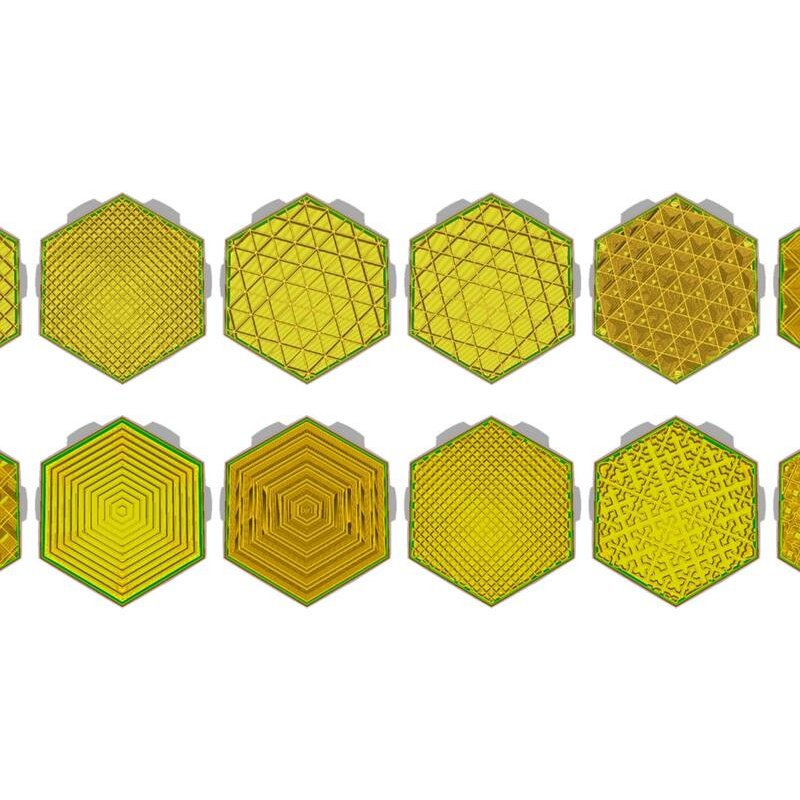
Cura is undoubtedly the most complete and user-friendly slicer. It offers over 300 adjustable parameters, allowing both beginners and experts to fine-tune their 3D prints.
Cura features an online marketplace that provides additional free plug-ins to enhance functionality. Thanks to its active community, Cura benefits from constant improvements and new features, including: Manual support positioning Optimized 3D file transfers from SolidWorks OctoPrint integration for remote printing.
.gif)
When used with Ultimaker printers, Cura grants access to a dedicated marketplace where users can download print profiles from top filament brands like: BASF Polymaker Nanovia And many more!
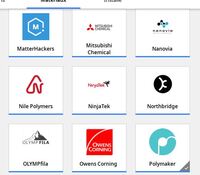
Filaments and their associated print profiles have been carefully designed to meet real-world manufacturing needs. Users can select settings to prioritize: Visual quality Printing speed Precision & mechanical strength A balanced mix of all these factors.
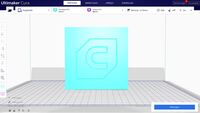
By using Ultimaker Cura, you gain access to Ultimaker's Digital Factory, allowing you to: Manage multiple printers Monitor print jobs remotely Optimize workflow efficiency.
Order contents
A question? Need help? Contact us, it's a pleasure to help you.
Our team is available from Monday to Friday, from 10 am to 12 pm and from 2 pm to 5 pm.
Specifications for Ultimaker Cura 5
Aucun avis ne correspond à votre recherche.
Aucune question publiée pour ce produit.
Vous ne trouvez pas la réponse à votre question ?
Save products to your wishlist to buy them later or share them with friends.