




At the moment satisfied, good interface, quality of printing, not a failed impression or with default on about 40 impressions, has to see over time reliability and precision because a lot of sensors and moving parts, the only negative points for my use of Ethernet port only of wifi which is when even quite sorry this economy given the price of the machine, I find very long the sequence of calibration, test ... at the start of printing.
Aucun avis ne correspond à votre recherche.
Aucune question publiée pour ce produit.
Vous ne trouvez pas la réponse à votre question ?
At the moment satisfied, good interface, quality of printing, not a failed impression or with default on about 40 impressions, has to see over time reliability and precision because a lot of sensors and moving parts, the only negative points for my use of Ethernet port only of wifi which is when even quite sorry this economy given the price of the machine, I find very long the sequence of calibration, test ... at the start of printing.
Aucun avis ne correspond à votre recherche.
Aucune question publiée pour ce produit.
Vous ne trouvez pas la réponse à votre question ?
At the moment satisfied, good interface, quality of printing, not a failed impression or with default on about 40 impressions, has to see over time reliability and precision because a lot of sensors and moving parts, the only negative points for my use of Ethernet port only of wifi which is when even quite sorry this economy given the price of the machine, I find very long the sequence of calibration, test ... at the start of printing.
Aucun avis ne correspond à votre recherche.
Aucune question publiée pour ce produit.
Vous ne trouvez pas la réponse à votre question ?
At the moment satisfied, good interface, quality of printing, not a failed impression or with default on about 40 impressions, has to see over time reliability and precision because a lot of sensors and moving parts, the only negative points for my use of Ethernet port only of wifi which is when even quite sorry this economy given the price of the machine, I find very long the sequence of calibration, test ... at the start of printing.
Aucun avis ne correspond à votre recherche.
Aucune question publiée pour ce produit.
Vous ne trouvez pas la réponse à votre question ?
At the moment satisfied, good interface, quality of printing, not a failed impression or with default on about 40 impressions, has to see over time reliability and precision because a lot of sensors and moving parts, the only negative points for my use of Ethernet port only of wifi which is when even quite sorry this economy given the price of the machine, I find very long the sequence of calibration, test ... at the start of printing.
Aucun avis ne correspond à votre recherche.
Aucune question publiée pour ce produit.
Vous ne trouvez pas la réponse à votre question ?
At the moment satisfied, good interface, quality of printing, not a failed impression or with default on about 40 impressions, has to see over time reliability and precision because a lot of sensors and moving parts, the only negative points for my use of Ethernet port only of wifi which is when even quite sorry this economy given the price of the machine, I find very long the sequence of calibration, test ... at the start of printing.
Aucun avis ne correspond à votre recherche.
Aucune question publiée pour ce produit.
Vous ne trouvez pas la réponse à votre question ?
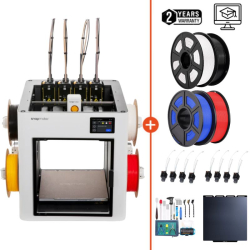
At the moment satisfied, good interface, quality of printing, not a failed impression or with default on about 40 impressions, has to see over time reliability and precision because a lot of sensors and moving parts, the only negative points for my use of Ethernet port only of wifi which is when even quite sorry this economy given the price of the machine, I find very long the sequence of calibration, test ... at the start of printing.
Aucun avis ne correspond à votre recherche.
Aucune question publiée pour ce produit.
Vous ne trouvez pas la réponse à votre question ?
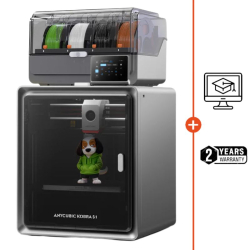
At the moment satisfied, good interface, quality of printing, not a failed impression or with default on about 40 impressions, has to see over time reliability and precision because a lot of sensors and moving parts, the only negative points for my use of Ethernet port only of wifi which is when even quite sorry this economy given the price of the machine, I find very long the sequence of calibration, test ... at the start of printing.
Aucun avis ne correspond à votre recherche.
Aucune question publiée pour ce produit.
Vous ne trouvez pas la réponse à votre question ?
At the moment satisfied, good interface, quality of printing, not a failed impression or with default on about 40 impressions, has to see over time reliability and precision because a lot of sensors and moving parts, the only negative points for my use of Ethernet port only of wifi which is when even quite sorry this economy given the price of the machine, I find very long the sequence of calibration, test ... at the start of printing.
Aucun avis ne correspond à votre recherche.
Aucune question publiée pour ce produit.
Vous ne trouvez pas la réponse à votre question ?
At the moment satisfied, good interface, quality of printing, not a failed impression or with default on about 40 impressions, has to see over time reliability and precision because a lot of sensors and moving parts, the only negative points for my use of Ethernet port only of wifi which is when even quite sorry this economy given the price of the machine, I find very long the sequence of calibration, test ... at the start of printing.
Aucun avis ne correspond à votre recherche.
Aucune question publiée pour ce produit.
Vous ne trouvez pas la réponse à votre question ?
At the moment satisfied, good interface, quality of printing, not a failed impression or with default on about 40 impressions, has to see over time reliability and precision because a lot of sensors and moving parts, the only negative points for my use of Ethernet port only of wifi which is when even quite sorry this economy given the price of the machine, I find very long the sequence of calibration, test ... at the start of printing.
Aucun avis ne correspond à votre recherche.
Aucune question publiée pour ce produit.
Vous ne trouvez pas la réponse à votre question ?
At the moment satisfied, good interface, quality of printing, not a failed impression or with default on about 40 impressions, has to see over time reliability and precision because a lot of sensors and moving parts, the only negative points for my use of Ethernet port only of wifi which is when even quite sorry this economy given the price of the machine, I find very long the sequence of calibration, test ... at the start of printing.
Aucun avis ne correspond à votre recherche.
Aucune question publiée pour ce produit.
Vous ne trouvez pas la réponse à votre question ?

At the moment satisfied, good interface, quality of printing, not a failed impression or with default on about 40 impressions, has to see over time reliability and precision because a lot of sensors and moving parts, the only negative points for my use of Ethernet port only of wifi which is when even quite sorry this economy given the price of the machine, I find very long the sequence of calibration, test ... at the start of printing.
Aucun avis ne correspond à votre recherche.
Aucune question publiée pour ce produit.
Vous ne trouvez pas la réponse à votre question ?

At the moment satisfied, good interface, quality of printing, not a failed impression or with default on about 40 impressions, has to see over time reliability and precision because a lot of sensors and moving parts, the only negative points for my use of Ethernet port only of wifi which is when even quite sorry this economy given the price of the machine, I find very long the sequence of calibration, test ... at the start of printing.
Aucun avis ne correspond à votre recherche.
Aucune question publiée pour ce produit.
Vous ne trouvez pas la réponse à votre question ?

At the moment satisfied, good interface, quality of printing, not a failed impression or with default on about 40 impressions, has to see over time reliability and precision because a lot of sensors and moving parts, the only negative points for my use of Ethernet port only of wifi which is when even quite sorry this economy given the price of the machine, I find very long the sequence of calibration, test ... at the start of printing.
Aucun avis ne correspond à votre recherche.
Aucune question publiée pour ce produit.
Vous ne trouvez pas la réponse à votre question ?
At the moment satisfied, good interface, quality of printing, not a failed impression or with default on about 40 impressions, has to see over time reliability and precision because a lot of sensors and moving parts, the only negative points for my use of Ethernet port only of wifi which is when even quite sorry this economy given the price of the machine, I find very long the sequence of calibration, test ... at the start of printing.
Aucun avis ne correspond à votre recherche.
Aucune question publiée pour ce produit.
Vous ne trouvez pas la réponse à votre question ?
At the moment satisfied, good interface, quality of printing, not a failed impression or with default on about 40 impressions, has to see over time reliability and precision because a lot of sensors and moving parts, the only negative points for my use of Ethernet port only of wifi which is when even quite sorry this economy given the price of the machine, I find very long the sequence of calibration, test ... at the start of printing.
Aucun avis ne correspond à votre recherche.
Aucune question publiée pour ce produit.
Vous ne trouvez pas la réponse à votre question ?
At the moment satisfied, good interface, quality of printing, not a failed impression or with default on about 40 impressions, has to see over time reliability and precision because a lot of sensors and moving parts, the only negative points for my use of Ethernet port only of wifi which is when even quite sorry this economy given the price of the machine, I find very long the sequence of calibration, test ... at the start of printing.
Aucun avis ne correspond à votre recherche.
Aucune question publiée pour ce produit.
Vous ne trouvez pas la réponse à votre question ?
At the moment satisfied, good interface, quality of printing, not a failed impression or with default on about 40 impressions, has to see over time reliability and precision because a lot of sensors and moving parts, the only negative points for my use of Ethernet port only of wifi which is when even quite sorry this economy given the price of the machine, I find very long the sequence of calibration, test ... at the start of printing.
Aucun avis ne correspond à votre recherche.
Aucune question publiée pour ce produit.
Vous ne trouvez pas la réponse à votre question ?

At the moment satisfied, good interface, quality of printing, not a failed impression or with default on about 40 impressions, has to see over time reliability and precision because a lot of sensors and moving parts, the only negative points for my use of Ethernet port only of wifi which is when even quite sorry this economy given the price of the machine, I find very long the sequence of calibration, test ... at the start of printing.
Aucun avis ne correspond à votre recherche.
Aucune question publiée pour ce produit.
Vous ne trouvez pas la réponse à votre question ?
At the moment satisfied, good interface, quality of printing, not a failed impression or with default on about 40 impressions, has to see over time reliability and precision because a lot of sensors and moving parts, the only negative points for my use of Ethernet port only of wifi which is when even quite sorry this economy given the price of the machine, I find very long the sequence of calibration, test ... at the start of printing.
Aucun avis ne correspond à votre recherche.
Aucune question publiée pour ce produit.
Vous ne trouvez pas la réponse à votre question ?
At the moment satisfied, good interface, quality of printing, not a failed impression or with default on about 40 impressions, has to see over time reliability and precision because a lot of sensors and moving parts, the only negative points for my use of Ethernet port only of wifi which is when even quite sorry this economy given the price of the machine, I find very long the sequence of calibration, test ... at the start of printing.
Aucun avis ne correspond à votre recherche.
Aucune question publiée pour ce produit.
Vous ne trouvez pas la réponse à votre question ?
At the moment satisfied, good interface, quality of printing, not a failed impression or with default on about 40 impressions, has to see over time reliability and precision because a lot of sensors and moving parts, the only negative points for my use of Ethernet port only of wifi which is when even quite sorry this economy given the price of the machine, I find very long the sequence of calibration, test ... at the start of printing.
Aucun avis ne correspond à votre recherche.
Aucune question publiée pour ce produit.
Vous ne trouvez pas la réponse à votre question ?
At the moment satisfied, good interface, quality of printing, not a failed impression or with default on about 40 impressions, has to see over time reliability and precision because a lot of sensors and moving parts, the only negative points for my use of Ethernet port only of wifi which is when even quite sorry this economy given the price of the machine, I find very long the sequence of calibration, test ... at the start of printing.
Aucun avis ne correspond à votre recherche.
Aucune question publiée pour ce produit.
Vous ne trouvez pas la réponse à votre question ?
At the moment satisfied, good interface, quality of printing, not a failed impression or with default on about 40 impressions, has to see over time reliability and precision because a lot of sensors and moving parts, the only negative points for my use of Ethernet port only of wifi which is when even quite sorry this economy given the price of the machine, I find very long the sequence of calibration, test ... at the start of printing.
Aucun avis ne correspond à votre recherche.
Aucune question publiée pour ce produit.
Vous ne trouvez pas la réponse à votre question ?
At the moment satisfied, good interface, quality of printing, not a failed impression or with default on about 40 impressions, has to see over time reliability and precision because a lot of sensors and moving parts, the only negative points for my use of Ethernet port only of wifi which is when even quite sorry this economy given the price of the machine, I find very long the sequence of calibration, test ... at the start of printing.
Aucun avis ne correspond à votre recherche.
Aucune question publiée pour ce produit.
Vous ne trouvez pas la réponse à votre question ?
At the moment satisfied, good interface, quality of printing, not a failed impression or with default on about 40 impressions, has to see over time reliability and precision because a lot of sensors and moving parts, the only negative points for my use of Ethernet port only of wifi which is when even quite sorry this economy given the price of the machine, I find very long the sequence of calibration, test ... at the start of printing.
Aucun avis ne correspond à votre recherche.
Aucune question publiée pour ce produit.
Vous ne trouvez pas la réponse à votre question ?
At the moment satisfied, good interface, quality of printing, not a failed impression or with default on about 40 impressions, has to see over time reliability and precision because a lot of sensors and moving parts, the only negative points for my use of Ethernet port only of wifi which is when even quite sorry this economy given the price of the machine, I find very long the sequence of calibration, test ... at the start of printing.
Aucun avis ne correspond à votre recherche.
Aucune question publiée pour ce produit.
Vous ne trouvez pas la réponse à votre question ?
At the moment satisfied, good interface, quality of printing, not a failed impression or with default on about 40 impressions, has to see over time reliability and precision because a lot of sensors and moving parts, the only negative points for my use of Ethernet port only of wifi which is when even quite sorry this economy given the price of the machine, I find very long the sequence of calibration, test ... at the start of printing.
Aucun avis ne correspond à votre recherche.
Aucune question publiée pour ce produit.
Vous ne trouvez pas la réponse à votre question ?
At the moment satisfied, good interface, quality of printing, not a failed impression or with default on about 40 impressions, has to see over time reliability and precision because a lot of sensors and moving parts, the only negative points for my use of Ethernet port only of wifi which is when even quite sorry this economy given the price of the machine, I find very long the sequence of calibration, test ... at the start of printing.
Aucun avis ne correspond à votre recherche.
Aucune question publiée pour ce produit.
Vous ne trouvez pas la réponse à votre question ?
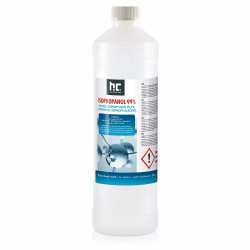
At the moment satisfied, good interface, quality of printing, not a failed impression or with default on about 40 impressions, has to see over time reliability and precision because a lot of sensors and moving parts, the only negative points for my use of Ethernet port only of wifi which is when even quite sorry this economy given the price of the machine, I find very long the sequence of calibration, test ... at the start of printing.
Aucun avis ne correspond à votre recherche.
Aucune question publiée pour ce produit.
Vous ne trouvez pas la réponse à votre question ?
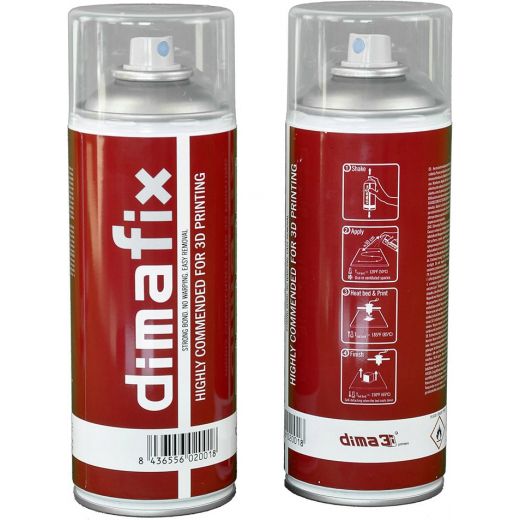
At the moment satisfied, good interface, quality of printing, not a failed impression or with default on about 40 impressions, has to see over time reliability and precision because a lot of sensors and moving parts, the only negative points for my use of Ethernet port only of wifi which is when even quite sorry this economy given the price of the machine, I find very long the sequence of calibration, test ... at the start of printing.
Aucun avis ne correspond à votre recherche.
Aucune question publiée pour ce produit.
Vous ne trouvez pas la réponse à votre question ?
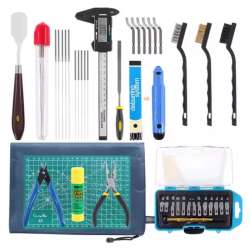
At the moment satisfied, good interface, quality of printing, not a failed impression or with default on about 40 impressions, has to see over time reliability and precision because a lot of sensors and moving parts, the only negative points for my use of Ethernet port only of wifi which is when even quite sorry this economy given the price of the machine, I find very long the sequence of calibration, test ... at the start of printing.
Aucun avis ne correspond à votre recherche.
Aucune question publiée pour ce produit.
Vous ne trouvez pas la réponse à votre question ?
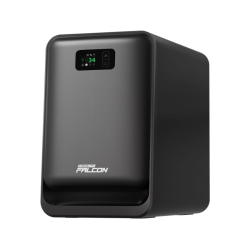
At the moment satisfied, good interface, quality of printing, not a failed impression or with default on about 40 impressions, has to see over time reliability and precision because a lot of sensors and moving parts, the only negative points for my use of Ethernet port only of wifi which is when even quite sorry this economy given the price of the machine, I find very long the sequence of calibration, test ... at the start of printing.
Aucun avis ne correspond à votre recherche.
Aucune question publiée pour ce produit.
Vous ne trouvez pas la réponse à votre question ?
At the moment satisfied, good interface, quality of printing, not a failed impression or with default on about 40 impressions, has to see over time reliability and precision because a lot of sensors and moving parts, the only negative points for my use of Ethernet port only of wifi which is when even quite sorry this economy given the price of the machine, I find very long the sequence of calibration, test ... at the start of printing.
Aucun avis ne correspond à votre recherche.
Aucune question publiée pour ce produit.
Vous ne trouvez pas la réponse à votre question ?
At the moment satisfied, good interface, quality of printing, not a failed impression or with default on about 40 impressions, has to see over time reliability and precision because a lot of sensors and moving parts, the only negative points for my use of Ethernet port only of wifi which is when even quite sorry this economy given the price of the machine, I find very long the sequence of calibration, test ... at the start of printing.
Aucun avis ne correspond à votre recherche.
Aucune question publiée pour ce produit.
Vous ne trouvez pas la réponse à votre question ?
At the moment satisfied, good interface, quality of printing, not a failed impression or with default on about 40 impressions, has to see over time reliability and precision because a lot of sensors and moving parts, the only negative points for my use of Ethernet port only of wifi which is when even quite sorry this economy given the price of the machine, I find very long the sequence of calibration, test ... at the start of printing.
Aucun avis ne correspond à votre recherche.
Aucune question publiée pour ce produit.
Vous ne trouvez pas la réponse à votre question ?
At the moment satisfied, good interface, quality of printing, not a failed impression or with default on about 40 impressions, has to see over time reliability and precision because a lot of sensors and moving parts, the only negative points for my use of Ethernet port only of wifi which is when even quite sorry this economy given the price of the machine, I find very long the sequence of calibration, test ... at the start of printing.
Aucun avis ne correspond à votre recherche.
Aucune question publiée pour ce produit.
Vous ne trouvez pas la réponse à votre question ?
At the moment satisfied, good interface, quality of printing, not a failed impression or with default on about 40 impressions, has to see over time reliability and precision because a lot of sensors and moving parts, the only negative points for my use of Ethernet port only of wifi which is when even quite sorry this economy given the price of the machine, I find very long the sequence of calibration, test ... at the start of printing.
Aucun avis ne correspond à votre recherche.
Aucune question publiée pour ce produit.
Vous ne trouvez pas la réponse à votre question ?
At the moment satisfied, good interface, quality of printing, not a failed impression or with default on about 40 impressions, has to see over time reliability and precision because a lot of sensors and moving parts, the only negative points for my use of Ethernet port only of wifi which is when even quite sorry this economy given the price of the machine, I find very long the sequence of calibration, test ... at the start of printing.
Aucun avis ne correspond à votre recherche.
Aucune question publiée pour ce produit.
Vous ne trouvez pas la réponse à votre question ?
xTool Studio is the official software designed for xTool machines. It combines AI tools, a resource library, preview features and cloud management to prepare, organize and run projects from a single platform.
 Our experts are at your service to answer your questions and provide advice at info@polyfab3d.com.
Delivery within 48/72 hours
Order before 1pm. Same day shipping
Free delivery
Free delivery near you from €69.90
Premium support
Our teams are on hand to answer all your questions
Over 3500 products
A wide choice of products from the biggest brands
xTool Studio is the official software designed to prepare, organize and launch projects for xTool machines. It brings together design tools, artificial intelligence features, a graphic resource library and cloud functions within a single interface.
The software also lets you manage several xTool machines from the same computer, preview the expected result before launching, and optimize job preparation. Thanks to its many built-in tools, xTool Studio simplifies both the creation and daily management of projects.

xTool Studio includes several artificial intelligence functions such as Smart Adjust, Auto Enhance, AI Cutout, Image Redraw and Creative Expand.
These allow you to automatically enhance images, remove a background, replace certain elements, or extend an image directly from the software.
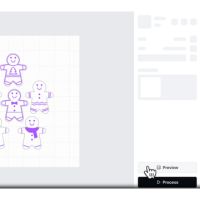
The software offers a True Result Preview to visualize the expected result before running the job. A dedicated preview is also available for rotary engraving.
This preview helps limit preparation errors and reduce material waste.

xTool Studio allows you to control several xTool machines from a single computer.
The software also offers cloud storage features to keep designs and access them from different locations. Task and progress tracking is also built in.
xTool Studio gives access to a library with more than 10,000 templates, more than 10,000 graphic elements, more than 5,000 fonts and creations from more than 5,000 creators. These resources can be used directly when designing projects to quickly enrich your creations.
The Smart Nesting feature automatically arranges the different elements of a project to optimize their layout on the material. xTool presents this feature as a way to improve the use of available surface area before starting production.
With Easy Parameter Setting, the software lets you instantly apply recommended settings. This feature simplifies project preparation by avoiding fully manual configuration of the settings available in the software.
Batch Fill makes it easy to create many customized parts through batch data filling. In addition, the Design Generator provides various customizable design generators to speed up the creation of new projects directly within xTool Studio.
xTool Studio brings together within a single platform the main functions needed to prepare xTool projects. The artificial intelligence tools, pre-launch previews, built-in graphic resources and cloud functions offer a particularly complete environment.
The ability to manage several xTool devices from the same computer is also an advantage for centralizing projects and simplifying their daily tracking.
A question? Need help? Contact us, it's a pleasure to help you.
Our team is available from Monday to Friday, from 10 am to 12 pm and from 2 pm to 5 pm.
Specifications for xTool Studio
Technology / Product
Aucun avis ne correspond à votre recherche.
Aucune question publiée pour ce produit.
Vous ne trouvez pas la réponse à votre question ?
Save products to your wishlist to buy them later or share them with friends.